The slides, written out
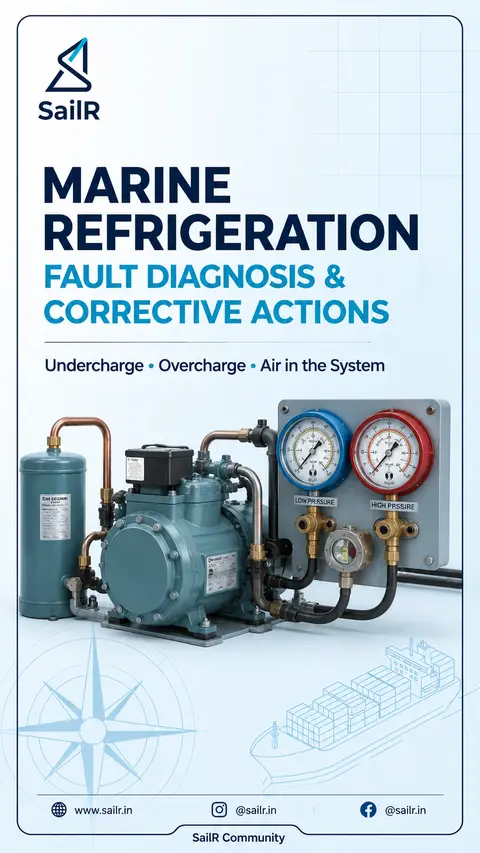
AI-drawn illustration. Simplified to explain the idea, not to scale.
Slide 1 · MARINE REFRIGERATION
MARINE REFRIGERATION
FAULT DIAGNOSIS &
CORRECTIVE ACTIONS
Undercharge • Overcharge • Air in the System
Slide 2 · RECOGNISING
RECOGNISING
COMMON REFRIGERATION FAULTS
How each fault shows itself
UNDERCHARGE
Low discharge (head) pressure on the condenser gauge.
Large bubbles in the liquid sight glass.
Compressor runs hot – delivery temperature above normal.
Compressor runs longer between cut-outs; the room is slow to cool.
Overall poor cooling performance.
OVERCHARGE
High discharge (head) pressure on the condenser gauge.
Sight glass full – no bubbles at all.
Frost back towards the compressor may indicate overcharge, but can also result from liquid floodback, expansion valve malfunction or excessive evaporator load.
Excess frost on the suction line after the evaporator.
Reduced condenser efficiency; may trigger high-pressure alarms.
AIR IN THE SYSTEM
Abnormally high discharge (head) pressure (air is a non-condensable gas – it raises total pressure without raising condensing temperature).
Jerky, fluctuating needle on the pressure gauge.
Very small bubbles in the liquid sight glass (frothy appearance).
High condenser and compressor temperatures.
Poor system efficiency and unstable operation.
Accurate diagnosis prevents unnecessary refrigerant charging and reduces equipment downtime.
Slide 3 · CORRECTIVE ACTIONS
CORRECTIVE ACTIONS
HOW TO RECTIFY EACH CONDITION
UNDERCHARGE
1 Leak-test the system and repair any leaks.
2 Evacuate the system if required.
3 Recharge the system according to the manufacturer's specified refrigerant charge or approved charging procedure.
4 Confirm the correct charge using:
• Operating pressures
• Operating temperatures
• Receiver level (where applicable)
• Stable sight-glass condition
• Manufacturer operating data
5 Verify normal operation by comparing operating pressures and saturation temperatures with the manufacturer's operating data for the prevailing seawater temperature and refrigeration load.
INDICATION
Large bubbles in sight glass indicate undercharge.
OVERCHARGE
1 Pump down the system where applicable. (Refer to manufacturer's instructions.)
2 Recover excess refrigerant into an approved recovery cylinder using approved recovery equipment. Do NOT vent refrigerant.
3 Restart the plant.
4 Verify normal operating conditions using pressures, temperatures and sight-glass condition.
INDICATION
Full sight glass with high head pressure may indicate overcharge.
AIR IN THE SYSTEM
1 Set the compressor to manual operation.
2 Pump the refrigerant into the condenser where applicable; close the liquid stop valve after the condenser.
3 Purge non-condensable gases using the manufacturer's recommended procedure or approved purge equipment.
4 Restore the system to normal operation.
5 Verify correct operation by normal pressure–temperature relationship and stable gauge readings.
INDICATION
Fine bubbles (frothy look) indicate air in the system.
BEST PRACTICE
Repair leaks before recharging the system.
Recover refrigerant using approved recovery equipment. Do not vent.
Always follow the manufacturer's instructions and operating data.
Never bypass safety devices or defeat alarms.
Technical Note: Actual operating pressures and temperatures vary with refrigerant type, plant design, seawater temperature and cooling load. Always refer to the manufacturer's operating manual.
Slide 4 · QUICK TROUBLESHOOTING GUIDE
QUICK TROUBLESHOOTING GUIDE
SYMPTOM → LIKELY CAUSE
Use this guide for initial diagnosis. Always verify with operating data and manufacturer's instructions.
SYMPTOM
LIKELY CAUSE
ADDITIONAL NOTES
Low discharge (head) pressure
Undercharge
• Check for leaks and confirm refrigerant charge.
• Verify on operating pressures and temperatures.
Large bubbles in sight glass
Undercharge
• Low refrigerant level in the system.
• Check for leaks.
Poor cooling performance
Undercharge
• System capacity is reduced.
• Compressor runs longer.
High discharge (head) pressure
Overcharge or Air in system
• Check sight glass, temperatures and system operating conditions.
• Compare with manufacturer's data.
Gauge needle fluctuates / jerky
Air in system
• Non-condensable gas present.
• Purge system using approved procedure.
Compressor running hot
Undercharge or Air in system
• High superheat may indicate undercharge.
• Air reduces heat transfer.
Frost back towards compressor
Check for overcharge, liquid floodback, expansion valve malfunction or excessive evaporator load
• Not always due to overcharge.
• Diagnose further: expansion valve, evaporator load, liquid line temperatures and superheat.
SAFETY REMINDER
Repair leaks before recharging.
Recover refrigerant using approved recovery equipment. Do not vent.
Always follow the manufacturer's instructions and operating data.
Do not bypass or repeatedly trip safety devices.
ENVIRONMENTAL COMPLIANCE
Recover refrigerant using approved recovery equipment and comply with MARPOL Annex VI environmental requirements.
TECHNICAL NOTE:
Actual operating pressures and temperatures vary with refrigerant type, plant design, seawater temperature and cooling load. Always refer to the manufacturer's operating manual.
Drafted by SailR from our daily lessons. AI-drawn illustration. Simplified to explain the idea, not to scale. Last updated 19 Oct 2026.
Spotted a mistake?